XP Antivirus 2008
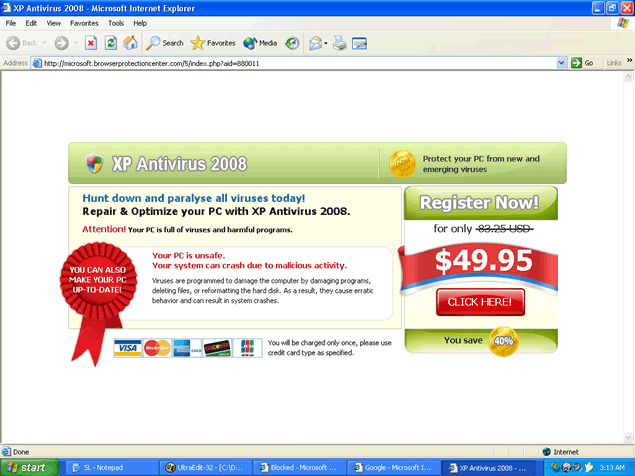 XP Antivirus 2008 is a rogue anti-spyware program that uses scare tactics to get you to purchase the full version of the XP Antivirus 2008 program. XP Antivirus 2008, or XPAntivirus 2008, may be downloaded and installed through the Zlob Trojan infection which is found on fake video codecs used to view porn videos. Zlob may affect your System32 files and load with a process called winlogon.exe. Zlob may even have rootkit functionality which gives it the ability to hide files in the system. Zlob may hijack browsers, display pop up ads and disable key system functions.
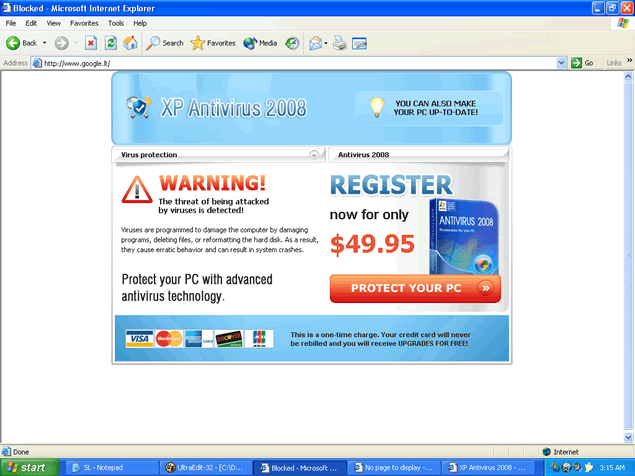
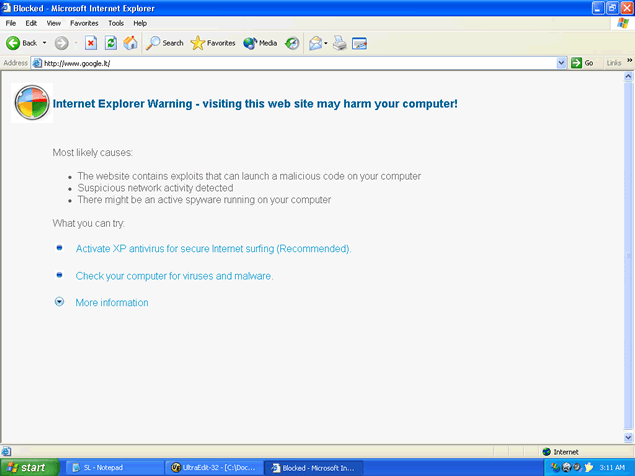
XP Antivirus 2008, if installed, runs a scan on your computer and alleges to detect spyware on your computer. After the scan is complete, XP Antivirus 2008 will display false postives and pop up a fake warnings message with the option to remove the detected spyware. Computer users are urged to avoid downloading or purchasing XP Antivirus 2008 no matter how legitimate the program may look. XP Antivirus 2008 may recreate itself after reboot, continue to run in the background of your system without your knowledge and display fake warning messages to drive you to purchase the full version of XP Antivirus 2008. XP Antivirus 2008's activities may generate a system slowdown.
File System Modifications
- The following files were created in the system:
# File Name 1 %desktopdirectory%\xp antivirus 2008.lnk 2 %program_files%\xp antivirus\xpa.exe 3 %startmenu%\xp antivirus 2008\uninstall xp antivirus 2008.lnk 4 %startmenu%\xp antivirus 2008\xp antivirus 2008.lnk 5 agpqlrfm.exe 6 bindsrv2.exe.bat 7 ddccBrSk.dll 8 dmngyvfc.dll 9 dssc32.exe.bat 10 erms.exe 11 fkaaejuc.dll 12 hgGxXoMF.dll 13 iifgETLc.dll 14 install_v2.exe 15 jaxtcwfg.dll 16 kgxmotapktx.dll 17 khfGvTMf.dll 18 nrnnmb.dll 19 obmuxmov.dll 20 ooiqyu.dll 21 pmalmfly.dll 22 rhc9s8j0ec0t.exe 23 rhc9s8j0ec0t.exe.local 24 s1265.php.bat 25 scksexde.exe.bat 26 sjdvhd.dll 27 smchk.exe 28 smchk.exe.bat 29 WinCtrl32.dl_ 30 WinCtrl32.dll 31 winpu73.sys 32 xpa.exe 33 xpa2008.exe 34 xpantivirus2008_v880019.exe 35 xpantivirus2008_v880187.exe 36 xpantivirus2008_v880339.exe 37 xxyabcCs.dll
Registry Modifications
- The following newly produced Registry Values are:
HKEY..\..\..\..{Subkeys}HKEY_CURRENT_USER\software\xp antivirus\options billingregurlHKEY_CURRENT_USER\software\xp antivirus\options billingurl2HKEY_CURRENT_USER\software\xp antivirus\options billingurlapproved2HKEY_CURRENT_USER\software\xp antivirus\options lastrunHKEY_CURRENT_USER\software\xp antivirus\options scansHKEY_CURRENT_USER\software\xp antivirus\options securityvectorHKEY_CURRENT_USER\software\xp antivirus\options termsurl
There is nothing like this! Your really not hiding or making it complicated at all. For that, I will buy anything you offer, even if I don't need it!!!
how does a person get money back when it is ordered on a credit card? and it seems like a reputable credit card company would soon dump this fraud outfit
thanx..nice guidance
When I tried removing this, my McCaffee came back and recommended that I need this program. ....and, after I 'uninstalled' it, I couldn't get into sites because of it's warning coming up.
????
Why would McCaffee recommend?