Alloversafety.com
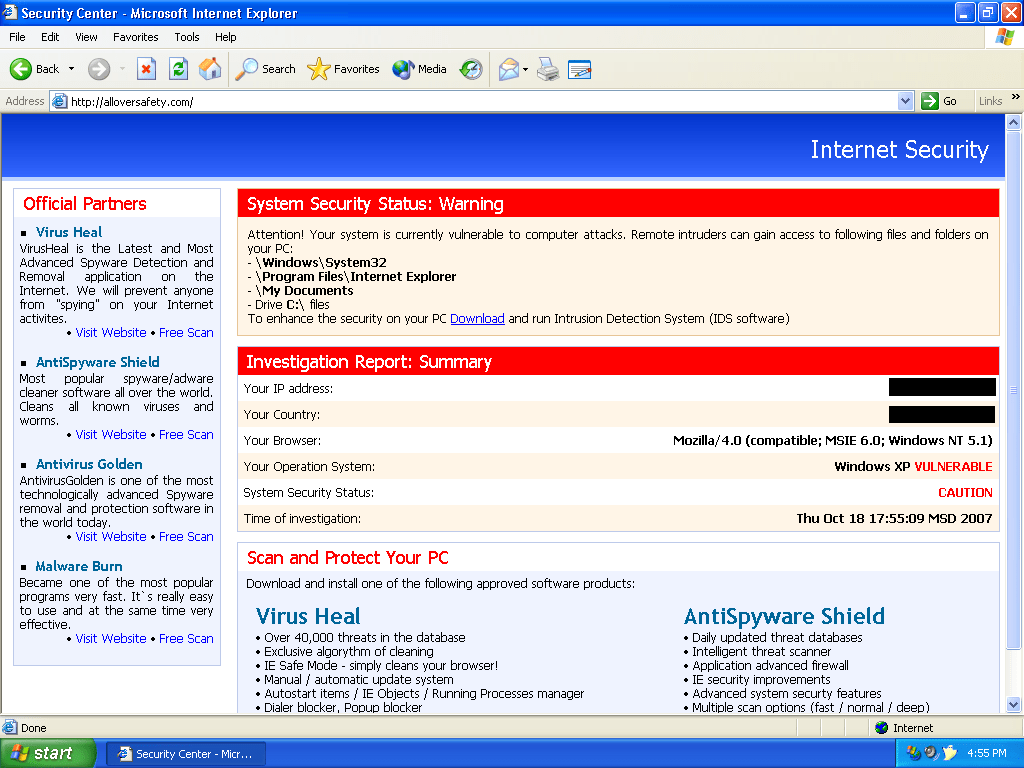 Alloversafety.com is a browser hijacker that offers the user to download rogue anti-spyware programs such as AntiSpyGolden, AntiVirGear, VirusHeal.and others. Alloversafety.com is the result of Zlob Trojan, which is usually secretly installed on your machine. The purpose of Alloversafety.com is to trick users into purchasing the full version of rogue software. Alloversafety.com may also open browser security holes and bombard your PC with hundreds of pop ups, while you surf the Web.
To restore the original default homepage, open IE > go to Tools > Internet Options > Type the URL address of your desired website > Click "Use Current" > click "OK". But restoring your hompepage manually does not necessarily mean that you've gotten rid of the spyware infection that brought on the homepage hijacker. Alloversafety.com may be a sign that you've been infected with spyware or a trojan.
If, when Internet Explorer starts, you see any pop up windows telling you about a rogue anti-spyware program and how to remove spyware, then you're probably infected with a trojan and you will continue to be hijacked by Alloversafety.com. Sometimes the hijackers prevent you from changing the homepage, or may allow you to temporarily change the homepage only to have Alloversafety.com reappear later.
So what do you do? Scan your system with an anti-spyware program and remove the spyware infections detected.
File System Modifications
- The following files were created in the system:
# File Name 1 Alloversafety.com
Leave a Reply
Please note that we are not able to assist with billing and support issues regarding SpyHunter or other products. If you're having issues with SpyHunter, please get in touch with SpyHunter customer support through your SpyHunter . If you have SpyHunter billing questions, we recommend you check the Billing FAQ. For general suggestions or feedback, contact us.